
How I test an app before anyone gets a login
Four AI models spent an evening testing Varholdt Field, fixing eighteen problems, and checking each other's work while I sent ten messages.
Before handing anyone a login to a fresh production copy of Varholdt Field, I wanted every screen clicked, every form filled out wrong, and every PDF opened. The office site and crew app for daily reports, timecards, safety meetings, and RFIs had one admin account, mine, and no jobs yet. I typed one request at 5:52 p.m. and had the full report back at 10:25.
- Problems found
- 18
- Fixes live
- 18
- Approvals per fix
- 3
- Messages from me
- 10
Four models, two machines, one loop
I split the work across four models so none graded its own fixes, linked across my MacBook and a Dell desktop with T3 Code. The tester needed a real signed-in Chrome window on the Mac, while the Dell ran the fixers, test suites, backups, and deploys even after I closed my laptop.
-
The lead
Claude Fable 5.2
Split the app into five passes, wrote checklists, located each bug, and chose the fix.
-
The tester
GPT Terra 6.1
Drove Chrome with mouse and keyboard to test forms, signatures, and PDFs.
-
The fixer
Claude Opus 5.5
Worked in separate code copies, one per problem, to write and test each fix.
-
The reviewer
GPT Sol 6.1
Checked every fix first. Sol, Fable, and Terra all had to approve each final change.
- The lead
- The tester, in Chrome
- Reviewers, reading only
- Up to three fixers at once
- The app's own tests
- Backups and deploys
- Plan. The lead writes a numbered checklist for one area.
- Test. The tester works through that list in Chrome.
- Fix. The lead locates the cause, then a fixer writes and tests the change.
- Review. Three models read the fix and send flagged work back.
- Ship. Backup first, then deploy. Fifteen fixes went live in batch one, three in batch two.
- Re-test. The tester checks the live app again. Failures re-enter the loop.
What broke and what review caught
Nine test runs turned up eighteen problems. The office had no way to fix a typo in a person's name or restore someone who had left. Jobs were limited to 22 preset cities. Long words ran off the PDF report, customer copies dropped the addendum, and a mistaken safety meeting sign-in could not be removed.
The biggest catch came from a browser quirk. My browser claimed it was offline even though the internet worked. The crew app trusted it and held 14 changes on the device for over half an hour. On a job site, that could trap a crew's whole day on a phone. After the fix, the report went through even while the browser still claimed offline.
Requiring three approvals caught a second trap. One fix let the office edit a delivery checklist, and two reviewers signed off. The third noticed that removing an item while a crew held an offline inspection would make the server reject the whole inspection on reconnect. That fix went back twice before all three approved.
Where a person stays in charge
I still ran the session. When the first pass came back shallow, the lead switched to numbered checklists, starting with 23 checks. When four fixers slowed the Mac, I moved them to the Dell, and after six overloaded it, I capped them at three. At the end, the lead waited for my go-ahead to restore the pre-test backup because touching production data stays my call.
Every test also ran under my admin login on desktop Chrome. Nobody clicked through as a foreman, carried a report into a second day, or tested on a real phone. The lead listed all three gaps on its own.
A one-person shop rarely puts a tester, a second developer, and a third reviewer on every release. For one evening I had all of them, and they caught eighteen problems before a crew ever saw the app. If your crews are still on paper or fighting software that doesn't fit, see what Varholdt Field does or tell me about your business.
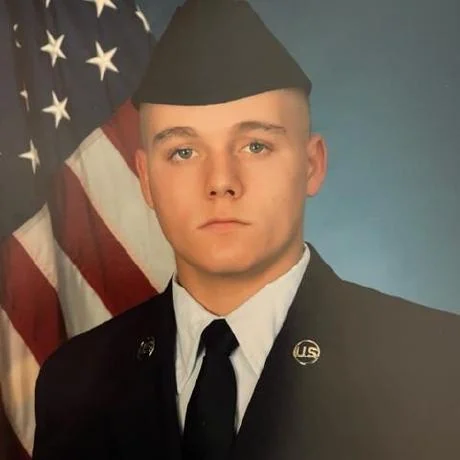
Layken Varholdt is an AI engineer, an Air Force veteran and the founder of Varholdt Labs in Lafayette, Louisiana. More about Layken